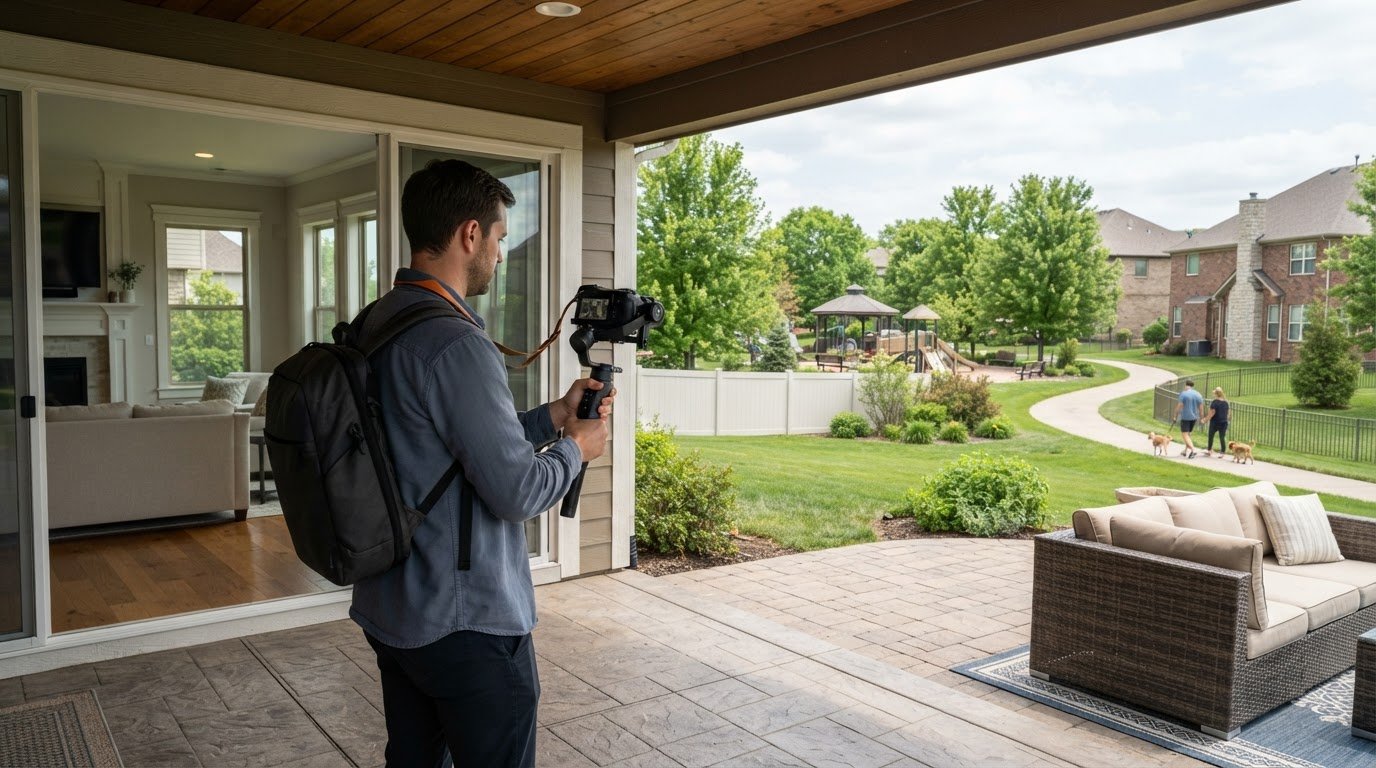
Top Digital Marketing and SEO Services in Kansas City: Your Go-To Agency for Web Design, WordPress, and Custom Solutions
A listing video should show more than the rooms. Effective video marketing for real estate listings in Overland Park pairs an immersive 3D home tour with clear footage of nearby neighborhood amenities, helping buyers understand both the property and its setting.
Interior photos help buyers picture how a home might work for them, but the surrounding neighborhood can shape that decision, too. A well-planned video brings the home’s layout and nearby parks, trails, shopping, or community spaces together in one coherent story, when those features are relevant to the listing.
This article explains how 3D tours and neighborhood footage can strengthen a listing video, what each format communicates, and how to choose the right balance for a property. You’ll also see how thoughtful pacing and clear visuals can make the home and its setting easier for prospective buyers to explore.
Key Takeaways
- Match the video format to the property, using 3D tours to communicate layout and neighborhood footage to show the home’s setting.
- Build a focused listing video around the details buyers need to understand, rather than trying to include every feature.
- Use video and photos together: each presents a listing differently and can help buyers explore its features.
- Choose a video length and pace that keep the home’s strongest details clear and easy to follow.
- Connect professional video production with social media management and search engine optimization to support the listing’s online visibility.
What types of videos work best for real estate listings in Overland Park, Kansas?
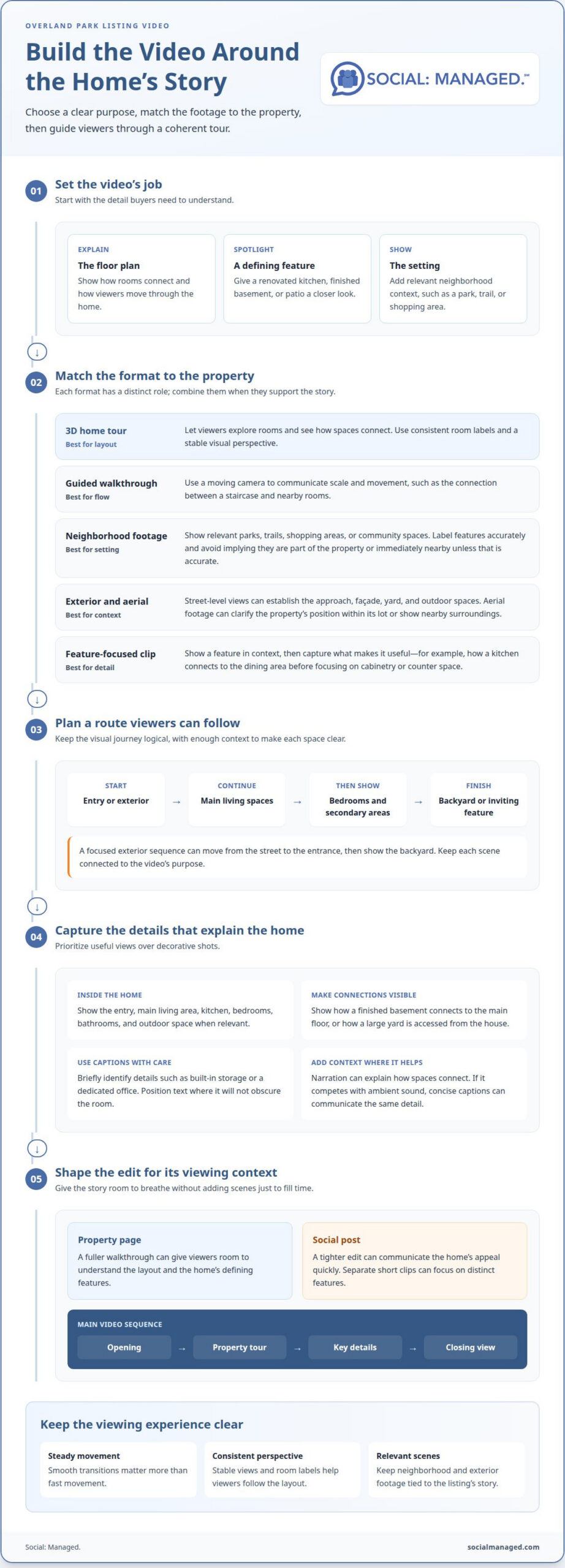
A deliberate approach to video marketing for real estate listings in Overland Park starts by matching the format to the property. A 3D tour explains how rooms connect, while a guided walkthrough gives viewers a sense of movement. Neighborhood footage can add useful context beyond the front door. These formats can complement each other, but each should have a clear job. A home with an unusual floor plan may need an interactive tour. A property with appealing outdoor features may benefit from exterior and neighborhood scenes.
3D home tours: An interactive tour lets viewers explore rooms and understand how spaces connect. It can clarify details that separate photos may leave uncertain, such as whether the kitchen opens onto the living area or a hallway leads to bedrooms. Plan a route from the entry through the main living spaces, then include bedrooms and secondary areas. Consistent room labels and a stable visual perspective help viewers follow the layout without confusion.
Guided walkthroughs: A moving camera gives viewers a natural sense of scale and flow. The sequence might start at the entrance, continue through the living room and kitchen, then finish in the backyard. Smooth transitions matter more than fast movement. For a home with a distinctive staircase, a continuous shot can show how it connects to nearby rooms. Short captions can identify useful features without obscuring important details.
Neighborhood and amenity videos: A property is also part of a daily setting. Footage can show nearby parks, trails, shopping areas, or community spaces when they help describe the location. Keep scenes relevant to the listing: show a neighborhood view, then label the feature accurately. Downtown Overland Park can provide recognizable local context when appropriate. Avoid suggesting that an amenity belongs to the property or is immediately nearby unless that is accurate.
Exterior and aerial footage: Street-level shots establish the approach, façade, yard, and outdoor spaces. Aerial footage can clarify the property’s position within its lot or show nearby surroundings. Use it when ground-level views do not provide enough context. A focused exterior sequence might move from the street to the entrance, then show the backyard. This helps viewers understand the setting without letting decorative shots dominate the tour.
Feature-focused clips: Some homes have details that deserve a closer look. A separate clip can highlight a renovated kitchen, finished basement, built-in shelving, or spacious patio. Show each feature in context, then capture the details that make it useful. For example, a kitchen clip might first show its connection to the dining area, then focus on the cabinetry or counter space. Separate clips also give agents flexible material for social posts.
Match the format to the home rather than using one template for every listing. Let each clip show the property’s spaces and features clearly, with a steady view and enough context to explain why they matter.
The right mix of video marketing for real estate listings in Overland Park begins with one clear objective: explain the floor plan, spotlight a feature, or show the setting. Choose scenes that support that objective, then arrange them into a coherent viewing experience. The listing’s wider online presentation can also connect with digital marketing in Overland Park, especially when the video needs support across multiple channels.
Talk With the Experts; Contact Social: Managed.
How long should a real estate listing video be, and what should it include?
A listing video should last only as long as its story needs. A focused property clip can move quickly through the home’s defining features, while a complete virtual tour needs room to show the layout. There is no single runtime that suits every Overland Park listing. A compact condo and a multi-level family home need different amounts of explanation. Prioritize a clear viewing experience instead of filling a preset time.
Start by deciding where the video will appear. A property page can support a fuller walkthrough, while a social post needs a tighter edit that communicates the home’s appeal quickly. One useful approach is to create a main listing video, then edit shorter versions around distinct features. For example, a full tour might introduce the home and its flow, while a separate clip focuses on a kitchen renovation.
Build the main video around a simple sequence: opening, property tour, key details, and closing. Open with an exterior view or a distinctive interior feature, then guide viewers through the rooms in a logical order. Show how spaces connect instead of jumping between unrelated angles. Finish with a clear view of an inviting feature, such as a patio or fireplace, that reinforces the property’s character.
Include details that help viewers understand the home instead of relying on decorative shots. A useful edit can show the entry, main living area, kitchen, bedrooms, bathrooms, and outdoor space when relevant. For a home with a finished basement, show how it connects to the main floor. For a property with a large yard, show its shape and access from the house.
Captions can identify features viewers might otherwise miss. Label a finished basement, built-in storage, or dedicated office when the camera shows it. Keep text brief and position it where it won’t obscure the room. Narration can add context, such as explaining how the dining area opens onto the kitchen. If narration competes with ambient sound, concise captions may communicate the same detail more clearly.
Use neighborhood footage selectively. Include a nearby Overland Park park, trail, or shopping area only when it provides useful context for the listing. Keep exterior scenes from taking over the home tour. A short establishing shot can situate the property while the main edit stays focused on rooms and features. Make captions and narration precise, so they describe the location without suggesting an inaccurate distance or connection.
Editing choices affect how long a video feels. Remove repeated views of the same room, slow transitions, and pauses that add no useful information. Keep camera movement steady, especially through doorways and narrow hallways. Give viewers time to notice a room’s layout, but don’t linger after its key features are clear. Music should support the mood without overpowering narration.
Before finalizing, review the video once for flow and once for accuracy. Check that the opening sets expectations, the room sequence makes sense, and every caption matches the feature shown. Make sure the final frame ends cleanly rather than cutting off mid-scene. If the home’s strongest selling point is a sunroom, for example, give it a clear view instead of a fleeting appearance in the background.
For a listing that needs a tailored runtime and a coherent edit, discuss a video plan for the property. A focused brief can identify the essential rooms, features, and neighborhood context before filming begins.
Real Estate Listing Videos vs. Photos: Attracting Buyers
Photos and videos help buyers assess a listing in different ways. A photograph freezes a useful detail, such as a quartz countertop or shaded patio. Video shows how spaces connect and how a viewer might move through them. Neither format guarantees more inquiries or showings. For an Overland Park home, the strongest presentation uses each format for the information it communicates best.
Photos make browsing and comparison straightforward. Buyers can scan the kitchen, bedrooms, and exterior quickly, then return to a room for another look. A well-composed image also draws attention to one feature, such as built-in shelves or a large window. But photos show selected angles, not the full relationship between rooms. A floor plan may clarify those connections, while a walkthrough video can make them easier to picture.
Video adds movement and sequence. A continuous shot from the entry to the living area can show whether the rooms feel open or separate. Turning into the kitchen then reveals its connection to the dining space. This context helps viewers form a more complete impression before arranging a visit. Keep the camera steady and the route logical. Fast pans can make a room harder to understand than a still image.
Consider a split-level home near Downtown Overland Park. Photos can show its living room, kitchen, and lower-level family room clearly. Video can reveal the stairs between those spaces and show how the layout unfolds. For a home with a distinctive backyard, still images can highlight the landscaping, while a short moving shot shows how the patio relates to the house.
Pair the formats rather than treating them as substitutes. Use photos as a clear visual index of rooms and features. Add video where movement, scale, or transitions matter. A property with a renovated kitchen might need a sharp still image of its finishes and a short clip showing its connection to the dining area. A home with a long entry hall may benefit from video that conveys its depth.
Different placements call for different assets. A listing page can present a photo gallery alongside a full property video. A social post might use a brief clip to spotlight one feature, then direct viewers to the complete listing. Photos remain useful in search results, printed materials, and quick comparisons. Video can carry a stronger narrative, but viewers should still be able to find essential property details without watching it.
Assess performance using listing-specific signals, not assumptions about format. Track whether viewers open the video, how far they watch, and whether they continue to the property details. Compare those actions with photo-gallery views and inquiries over the same period. These signals show where interest holds or drops, but they don’t prove that video alone caused a showing. Listing price, condition, timing, and buyer needs also shape decisions.
Presentation quality matters for both formats. A dark photo can hide a room’s character; shaky footage can distract from the home. Keep image color consistent, avoid clutter in the frame, and represent rooms accurately. For example, a wide-angle image should not make a compact bedroom appear unusually spacious. A measured camera move and a truthful still image help set consistent expectations for an in-person visit.
For Overland Park listings, choose photos for quick scanning and video for spatial context. Review each asset against the property’s strongest features, then remove images or clips that repeat the same view. This simple edit gives buyers a clearer path from first impression to informed interest.
Social: Managed: Search Engine Optimization
Social: Managed can connect listing video production with search engine optimization and social media management. Turn to us when a polished tour needs a clearer path to prospective buyers online. Search-focused page content can describe the property and its Overland Park setting, while social posts give the video additional opportunities to reach local audiences. The goal is a consistent presentation across the listing page and supporting channels, not a promise of a particular ranking or response.
For listings that need stronger local search visibility, our Overland Park SEO support can align page content with the property’s location and features. We can also coordinate the video and its promotion as part of a broader digital marketing approach. Contact Social: Managed. to discuss your listing’s video and search strategy.
Give Every Listing a Clear Digital Direction
A focused approach to video marketing for real estate listings in Overland Park starts with a useful question: what should a prospective buyer understand about this home before booking a visit? Let the answer guide the creative brief, footage, and the way the listing appears online. Each property has a different story, so the strongest presentation is shaped around its specific features and setting.
Consistency matters after filming, too. At Social: Managed., we offer Video Production alongside Search Engine Optimization, Social Media Management, and Digital Marketing. These services can support a connected approach, from creating listing content to organizing how it appears across search and social channels. We shape that approach around the property, its audience, and the platforms where its presentation belongs. A well-considered plan gives each listing a distinctive, polished presence. Start with the home’s story and build its digital presentation with purpose.

Ready to get started? Reach out to Social: Managed. online, or call us at 866-324-9700. We manage your company’s social life so you can have one! You don’t need complicated packages. We listen to your goals.
Then we design and manage SEO, social media, ads, websites, and email campaigns built to deliver results. No jargon. No guesswork. Just real growth from a team that cares. Ready to get rolling? Follow Social: Managed. on Facebook for a peek into our social life.